How EyeKon works

Getting Started

Download and Subscribe

Access EyeKon through a free-trial period or paid subscription. Download the app from Paddle.

Install and Set Up

Follow the on-screen prompts to install. Grant any necessary permissions (e.g., camera access for gaze tracking, overlay permissions for the floating window, and background operation). 

Once installed, EyeKon runs quietly in the background, staying ready without interfering with your regular workflow. EyeKon stays in Windows tray (bottom right). 

During a Video Call

EyeKon activates automatically when it detects a live video call (compatible with major platforms like Zoom, Teams, Google Meet, Webex, etc.).
 
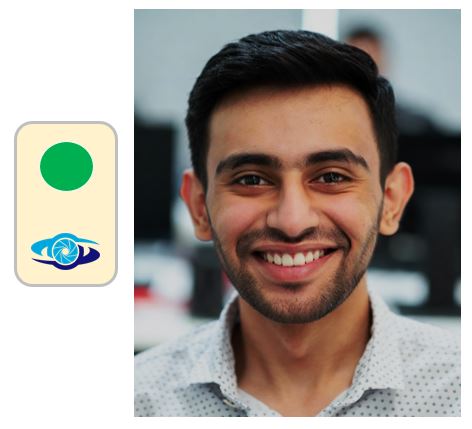
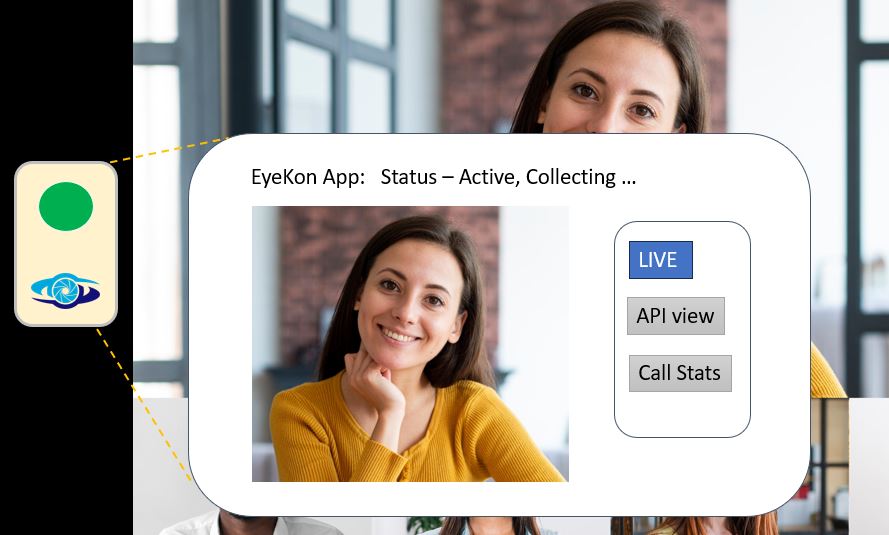
A small floating window appears on the left side of your video call screen.

This consistent positioning serves as a clear visual cue that EyeKon is active and monitoring.

EyeKon instantly begins tracking your gaze metrics using your device’s camera (non-intrusive, privacy-focused processing).

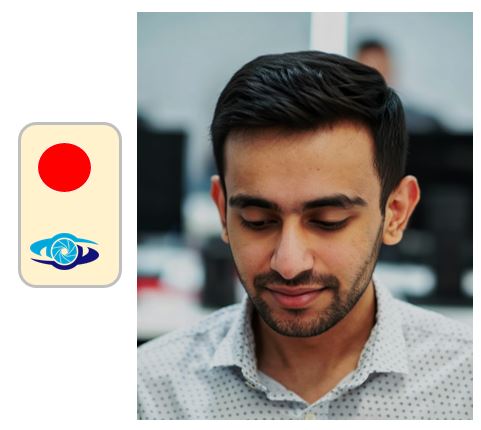
A simple signal indicator shows your eye contact status in real time:

Green → Good, natural eye contact (you’re looking toward the camera / maintaining strong connection).

Red → Gaze has drifted away from the optimal zone.

If your gaze remains outside the green zone for more than 10 seconds, a subtle, private low audio beep alerts you.

The sound is audible only to you (via headphones or device speakers, not transmitted to call participants), giving you a gentle opportunity to self-correct and re-engage eye contact.

Interacting with App During the Call

At any moment, tap or click the floating EyeKon window to expand it into a larger view for more detailed feedback.

Switch between modes:

Live → Real-time gaze signal and current status.

API View → Technical visualization of gaze data (useful for advanced users or troubleshooting).

Call Stats → Quick summary of eye contact performance so far in the current call (e.g., percentage in green zone).

After the Call Ends

EyeKon automatically deactivates when the video call concludes.

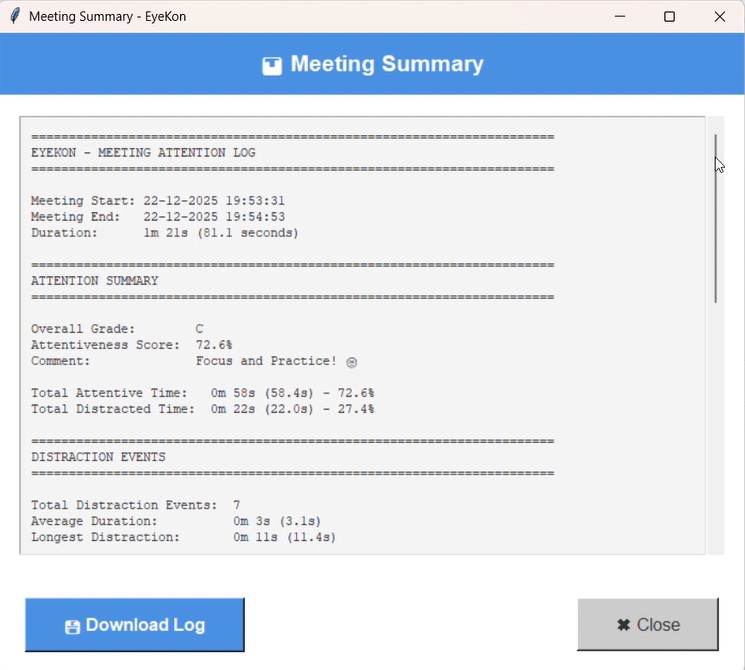
Report: It generates a concise meeting diagnostic report summarizing your eye contact performance (e.g., User performance score, Gaze Drift Analysis (GDA), Summary comments).

Storage: The report is saved locally to a pre-designated drive or folder on your device/server for later review, sharing, or progress tracking.

EyeKon then returns to background mode, ready for your next call.

With consistent use, EyeKon helps build better habits for camera-facing eye contact—making your video presence more engaging and professional without anyone else knowing you’re training.